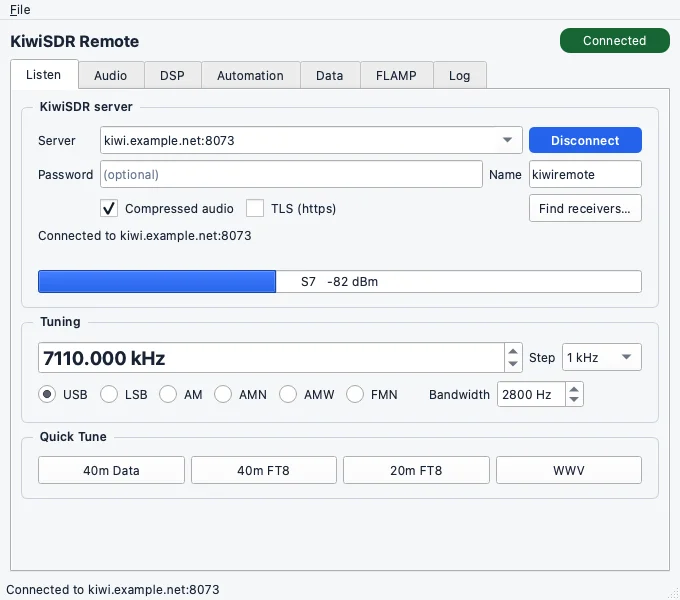
This page covers the
digitalmodesbranch, which has the current features, screenshots and releases (v0.3 at the time of writing). Browse the branch on GitHub.
KiwiSDR Remote Client connects to a KiwiSDR on your local network or over the internet, using the receiver protocol from the KiwiSDR team’s kiwiclient. Listen through your speakers, send audio over a virtual cable to programs like fldigi or WSJT-X, or do both at once. It is receive-only, so there is no transmit path and no PTT to worry about.
It builds on kiwisdr-remote and bundles a pinned copy of kiwiclient. To find a receiver, try the KiwiSDR worldwide map, the receiver list, or mine in New Braunfels, Texas.
Features
- Tune USB, LSB, AM, AMN, AMW and FMN with adjustable bandwidth and receiver-specific frequency limits.
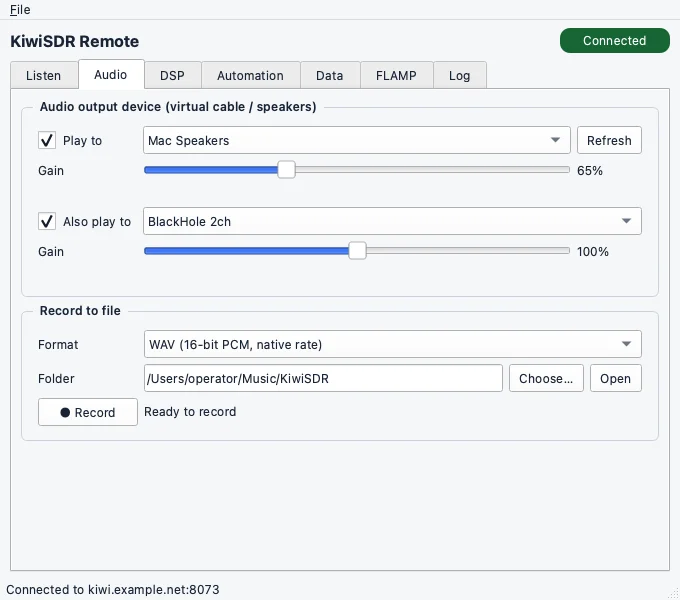
- Listen on two devices at once, with separate gain and clock correction for each. For example, send audio to speakers and to a virtual cable together. Stopping or losing one output leaves the other running.
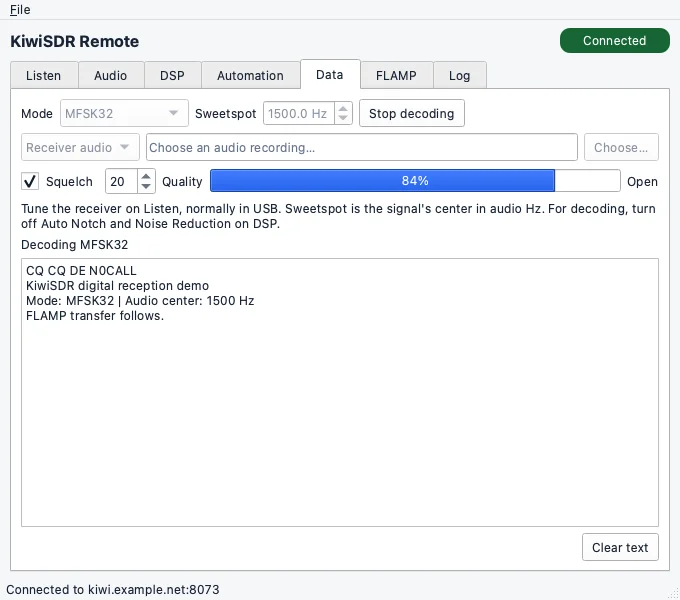
- Decode digital text from receiver audio: MFSK16, MFSK32, MFSK64 and Contestia 4-250, with live squelch, a quality meter and RSID Auto mode.
- Decode a saved recording with the same squelch and auto-detection, even without a receiver connected.
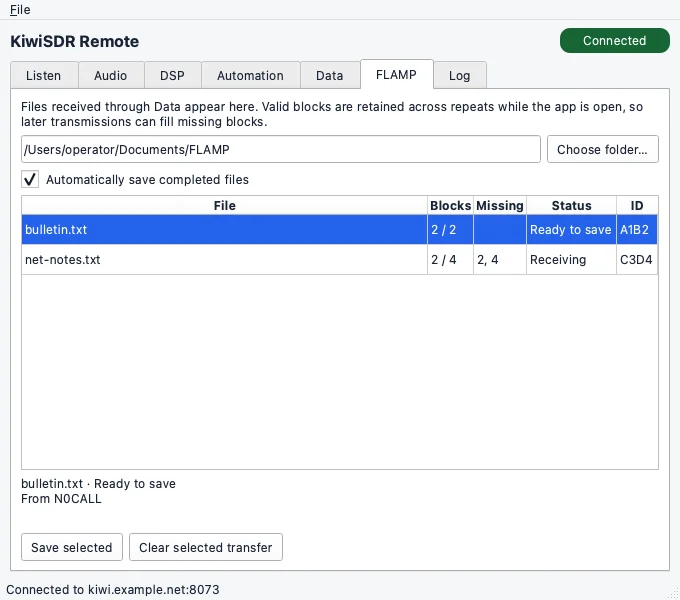
- Receive FLAMP files, with CRC checking, missing-block tracking across repeated transmissions, BASE64/128/256 and LZMA support, and automatic or manual saving.
- Record native-rate mono WAV, or AAC in M4A/MP4 when PyAV is installed. Existing recordings are never intentionally replaced.
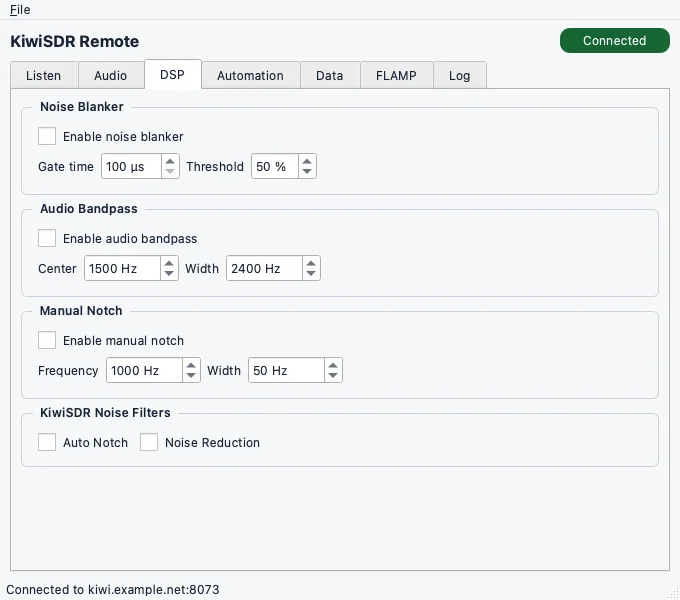
- Filter: KiwiSDR noise blanker, auto notch and noise reduction, plus a local bandpass and manual notch.
- Quick Tune buttons (up to 15) loaded from a text file, for example
40m FT8, 7074. - Hamlib rigctl on
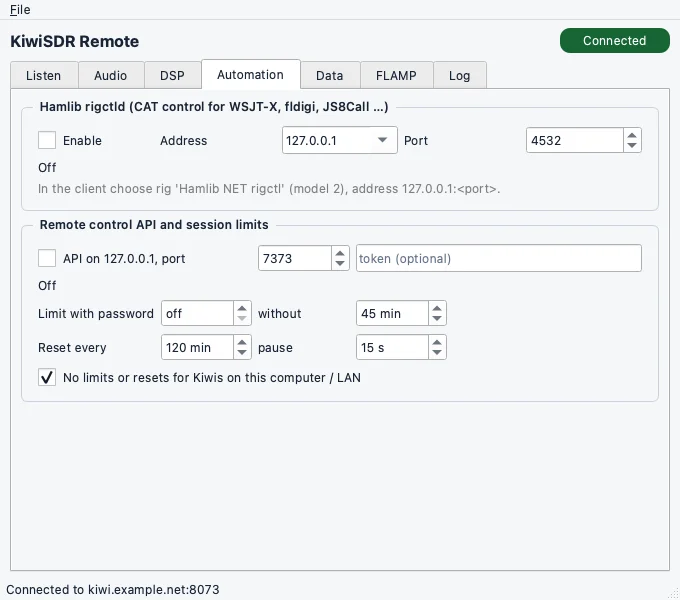
127.0.0.1:4532and an HTTP/JSON API on127.0.0.1:7373, used by tools such as FLDigi Net Scheduler. - Headless mode with a
ctlcommand line to connect, tune and record without loading Qt. - Compact desktop UI: a 680 × 600 window with Listen, Audio, DSP, Automation, Data, FLAMP and Log tabs. The window position is remembered.
The bundled decoder engine uses the GPL fldigi modem implementation and needs no fldigi installation or virtual audio cable. THOR is deferred.
Built to be safe
- TLS certificates are verified, and redirects can’t downgrade to plaintext or forward a password to another host.
- Control services bind to loopback by default. The HTTP API requires a token for non-loopback binding, and rigctld has no authentication, so use an encrypted tunnel for remote access.
- Receiver passwords are never saved or logged.
- Connections retry automatically, and long reconnect gaps are filled with silence in WAV recordings.
- Storage overload stops recording with an error instead of silently dropping audio.
- FLAMP reception is bounded to 32 transfers, 32 MiB per file and 64 MiB of retained data, and saved files never overwrite existing ones.
How it fits together
- The client connects to a KiwiSDR and receives audio.
- Audio goes to speakers, a virtual cable, or both.
- The built-in Data and FLAMP tabs decode MFSK, Contestia and files directly. Or an external decoder reads the cable and tunes the receiver through rigctld.
- Recordings and the API let you automate nets and monitoring.
What changed recently
- v0.3: simultaneous playback to two audio devices with independent gain controls and saved selections.
- v0.2: password encoding fixes, and the entered password is now used for both receiver access and Kiwi’s daily IP time-limit exemption.
- v0.1 (digitalmodes): embedded MFSK and Contestia decoding, RSID Auto, audio-file decoding and FLAMP assembly, with the pinned GPL decoder source and automated known-text tests.
Platforms and validation
Windows, macOS and Linux, with Python 3.10 or newer for source installs. CI runs the test suite on all three platforms. It has been validated on macOS with real Qt and PyAV, a standalone app build, and live tuning and WAV recording against a public KiwiSDR. Physical audio devices and decoder applications still need testing on each system.
Screenshots
Ready to try it?
The install guide covers requirements, downloads, building from source, and first-run setup.